

T01 BMS Monitor User Manual v2.6
Complete guide to monitoring and configuring DS4A Battery Management Systems
Dashboard Overview

The Dashboard is the main screen showing real-time battery status. All values update automatically while connected.
Dashboard Cards
State of Charge (SOC)
- Large percentage display - Current battery charge level
- Progress bar - Visual representation of charge state
- Colour indication - Green when healthy, warning colours at low charge
Voltage
- Pack Voltage - Total voltage of the battery pack
- Displayed in Volts (V)
Current
- Current flow - Shows charging or discharging current
- Positive values (green) - Charging
- Negative values (orange) - Discharging
- Displayed in Amps (A)
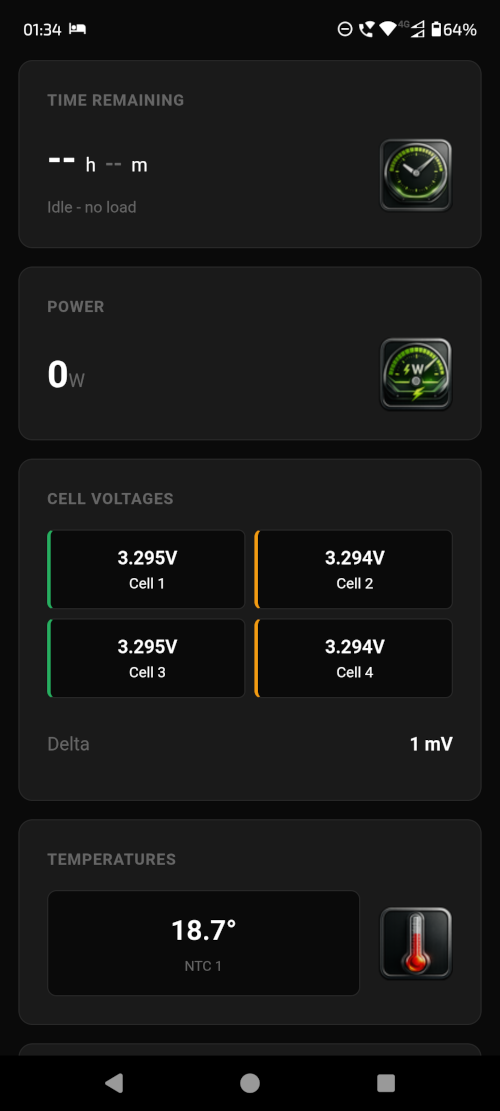
Power
- Real-time power calculation - Voltage × Current
- Displayed in Watts (W)
Temperature
- Pack temperature sensor
- Displayed in Celsius (°C)
- BMS uses this value to determine if temperature protections are to be activated
Time Remaining
- Estimated time - Based on current charge/discharge rate
- Charging - Time until full
- Discharging - Time until empty

Cell Voltages
- Individual cell readings - Each cell's voltage displayed
- Min/Max/Delta - Statistics showing:
- Min - Lowest cell voltage
- Max - Highest cell voltage
- Delta - Difference between highest and lowest (indicates balance)
💡
A low delta value (< 5mV) indicates optimally balanced cells. A prolonged high delta (> 50mV) may indicate a cell balancing issue.
Status Indicators
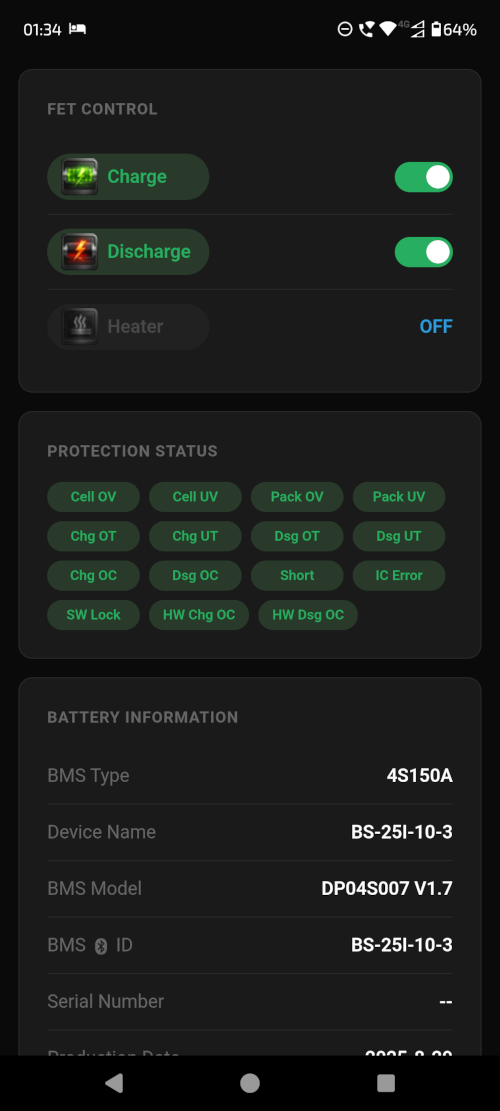
FET Status
- Charge FET - Shows if charging is enabled
- Discharge FET - Shows if discharging is enabled
- Icons - Coloured when active, greyed out when off
Heater Status
- Heater indicator - Shows if the battery heater is active (if equipped)
- Red icon - Heater on
- Blue icon - Heater off
Protection Status
If any protection condition is active, an alert will display showing:
- Overvoltage protection
- Undervoltage protection
- Overcurrent protection
- Temperature protection
- Short circuit protection
⚠️
When a protection is active, the BMS has detected a potentially dangerous condition and has taken action to protect your battery. Investigate the cause before clearing the protection.